
Intro to CI/CD: Main Ideas and Why It Matters in Current Coding
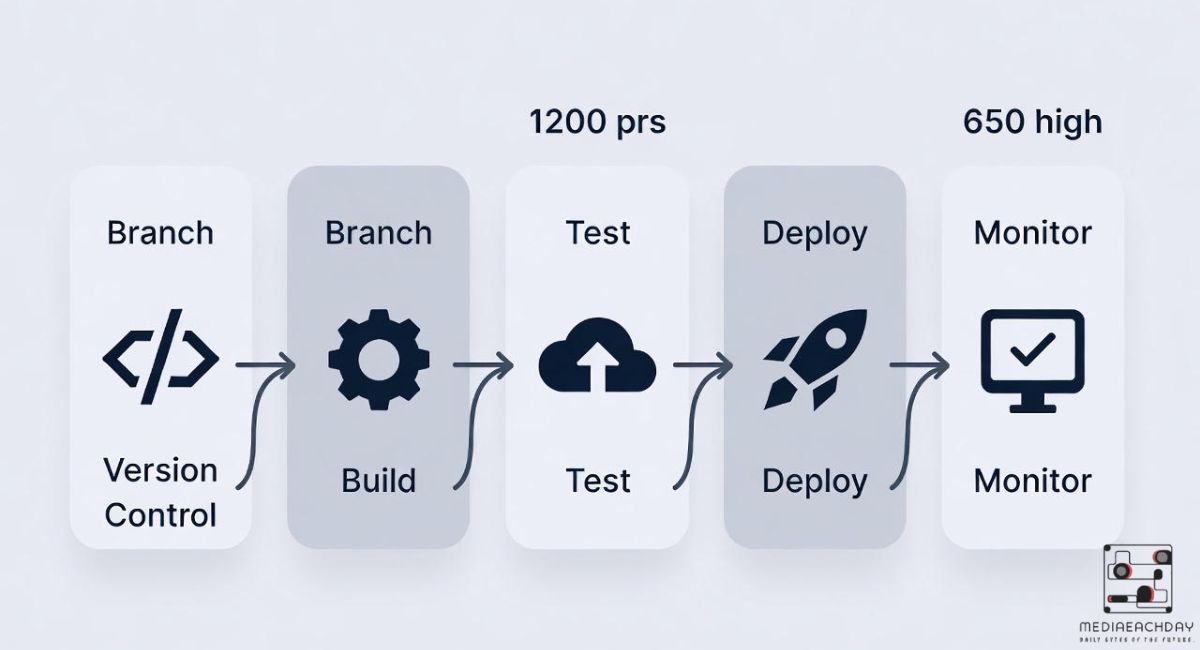
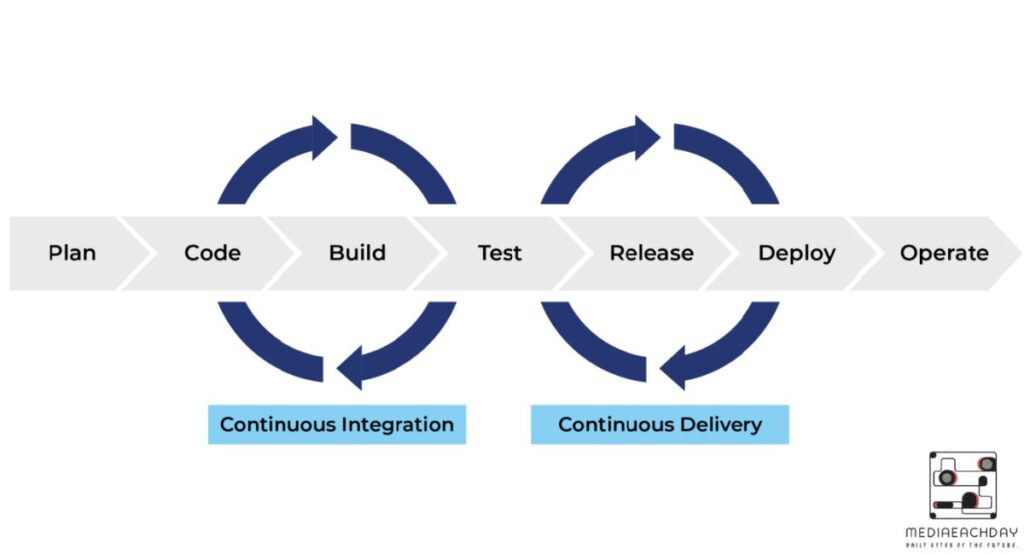
The CI/CD pipeline has become the cornerstone of modern software development, allowing teams to deliver updates faster and more reliably. By combining Continuous Integration (CI) and Continuous Delivery (CD), developers can automate Build, Test, Deploy stages while minimizing human errors. This software delivery pipeline ensures that code changes are tested in real-time and deployed smoothly, keeping projects on schedule. Companies in the USA increasingly rely on Agile software development practices, where automation and efficiency are critical. Integrating tools like Jenkins into the CI/CD Pipeline workflow streamlines development, enhances collaboration, and shortens feedback loops, helping teams maintain high-quality, stable releases without slowing down innovation.
Looking at Continuous Integration (CI): Steps and Tools
Continuous Integration (CI) helps teams merge code frequently into a shared repository. Every merge triggers automated testing to ensure code quality. Developers use tools like Jenkins pipeline, CircleCI, and Travis CI to manage builds. The process involves compiling code, running tests, and generating real-time test output, which helps detect errors early.
CI also relies on version control and automation frameworks to keep projects organized. Using pipeline as code, teams can script their Build, Test, Deploy stages in a Jenkinsfile using Groovy scripting. This approach allows developers to repeat tasks reliably and ensures that changes in code do not break existing features.
Getting Continuous Delivery and Deployment (CD): Main Differences and How to Do It
Continuous Delivery (CD) ensures that code is always ready for deployment. Developers can push updates to a staging environment where final tests run automatically. In Continuous Deployment, updates go directly to production without manual approval. Both methods rely on deployment automation and CI/CD orchestration to work efficiently.
The difference is in the approval process. Continuous Delivery gives teams a chance to review changes, while Continuous Deployment skips human checks. Using test automation tools and cross-platform test suites, teams can ensure that every deployment is stable. Integrating smart test platforms like ACCELQ allows teams to run end-to-end testing in the pipeline seamlessly.
Good Things About CI/CD Pipelines for Coding Teams and Companies
A well-designed CI/CD pipeline reduces errors and increases speed. Teams experience faster feedback loops, which improves collaboration. With distributed builds, tasks can run simultaneously across multiple machines. This reduces bottlenecks and shortens the software release cycle.
Companies gain cost savings because automated testing and deployment reduce manual effort. Automation frameworks handle repetitive tasks, while test management tools ensure quality across all stages. Using stable releases allows teams to deliver consistent updates and maintain user trust. The combination of Agile software development and CI/CD ensures rapid iteration without sacrificing quality.
Jenkins Basics: How It Started, Main Parts, and Why Many Use It
Jenkins started as an open-source automation server and quickly became the most popular tool for CI/CD pipeline orchestration. It uses a master-agent architecture to distribute builds across multiple machines, making it highly scalable. The plugin ecosystem allows integration with countless tools, including ACCELQ integration for testing.
Jenkins simplifies build automation by using Jenkinsfile scripts. Developers define stages in a readable format using Declarative pipeline or more flexible Scripted pipelines. Its wide adoption comes from strong community support and the ability to manage version control, automated testing, and deployment automation efficiently.
What Is Jenkins Pipeline: Setup, Kinds (Declarative vs. Scripted), and Basics
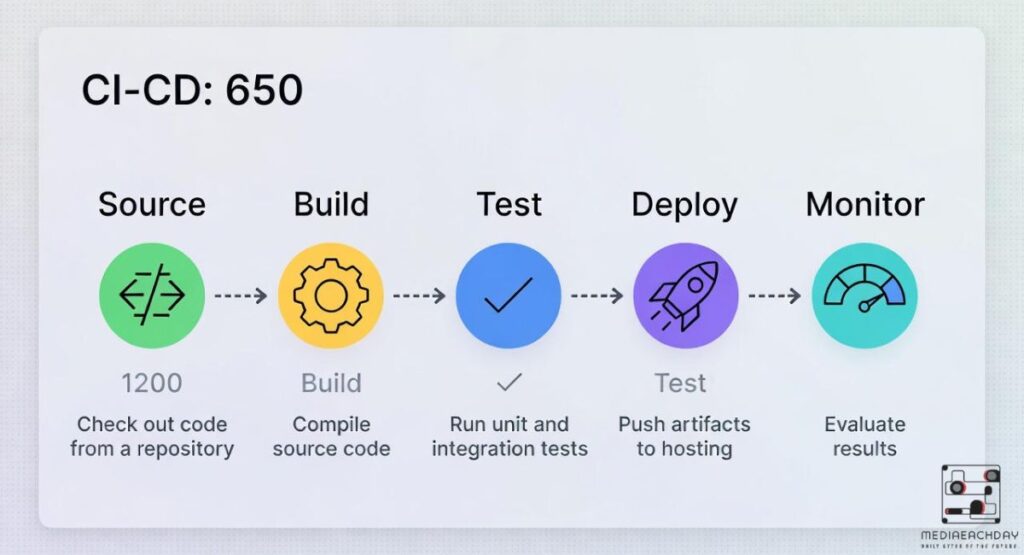
A Jenkins pipeline is a way to define the CI/CD process as code. Using a Jenkinsfile, developers describe Build, Test, Deploy stages that run automatically. The Declarative pipeline style is easy to read, while the Scripted pipeline style gives more control over complex workflows.
Pipelines rely on agent/any (pipeline agent) to execute tasks on available machines. This ensures distributed builds work efficiently. Teams can incorporate automation frameworks, smart test platforms, and cross-platform test suites. With this setup, the software delivery pipeline becomes more reliable, repeatable, and easy to maintain.
Adding Jenkins Pipeline to Your CI/CD Work: Easy Start and Run
Integrating Jenkins pipeline into an existing CI/CD workflow is straightforward. Developers start by creating a Jenkinsfile in their repository. This file defines stages, agents, and commands. Linking repositories and enabling automated triggers ensures that changes automatically run through Build, Test, Deploy stages.
Using pipeline as code, teams can scale automation quickly. Real-time test output helps identify failures immediately. Tools like ACCELQ integration provide end-to-end testing without complex scripting. With proper setup, Jenkins streamlines CI/CD orchestration and allows teams to focus on coding instead of manual deployment tasks.
Hands-On Guide: Making and Setting Up a Jenkins Pipeline Step by Step
Creating a Jenkins pipeline starts by writing a Jenkinsfile in your project repository. Define stages like Build, Test, and Deploy. Assign agent/any (pipeline agent) to run tasks. Use commands for building projects, running automated testing, and deploying to a staging environment.
Teams can enhance the pipeline by including cross-platform test suites and integrating smart test platforms. The process ensures stable releases and faster feedback loops. By using automation frameworks, teams reduce human errors and increase efficiency across the software release cycle.
Better Ways: Top Tips, Fixing Issues, and Growing Jenkins Pipelines
Optimizing a Jenkins pipeline involves managing plugins and reducing complexity. Using Declarative pipeline makes scripts readable and easier to debug. Regularly updating automation frameworks and maintaining test management tools ensures consistent performance.
Scaling pipelines with distributed builds allows larger teams to run multiple jobs simultaneously. Monitoring real-time test output helps detect failures early. By integrating ACCELQ integration and cross-platform test suites, teams can handle complex projects while keeping stable releases.
Jenkins Compared to Others: Looks at Tools Like CircleCI, Travis CI, and Azure DevOps
Jenkins stands out for flexibility and its plugin ecosystem, while CircleCI and Travis CI are easier to set up. Azure DevOps integrates well with Microsoft products but lacks Jenkins’ vast support community. A comparison table shows key differences:
| Tool | Strengths | Weaknesses | Best For |
| Jenkins | Plugin ecosystem, flexibility | Setup complexity | Large, distributed teams |
| CircleCI | Quick setup, cloud support | Less plugin variety | Smaller teams, cloud-native |
| Travis CI | Easy configuration | Limited customization | Open-source projects |
| Azure DevOps | Integration with MS tools | Less flexible pipelines | Microsoft stack environments |
Choosing the right tool depends on project size, team expertise, and integration needs.
Real Examples and New Changes in CI/CD with Jenkins
Companies like Netflix and LinkedIn use Jenkins pipeline for fast and reliable delivery. By combining Build, Test, Deploy stages with ACCELQ integration, these companies achieve short feedback loops and stable releases. Recent Jenkins updates improve distributed builds and expand the plugin ecosystem.
Trends like automation frameworks, enhanced cross-platform test suites, and smarter CI/CD orchestration make pipelines more robust. Teams in the USA leverage these features to accelerate Agile software development and ensure that automated practices in software development lead to fewer production issues and faster deployments.
Conclusion
The CI/CD pipeline is essential for modern software delivery. Using Jenkins pipeline makes Build, Test, Deploy stages automated, reliable, and repeatable. Integrating automation frameworks, smart test platforms, and cross-platform test suites ensures stable releases and short feedback loops. Companies adopting these practices gain speed, quality, and efficiency in every software release cycle.

I am an SEO expert with 4 years of experience. I have worked with numerous clients and helped improve their website SEO.